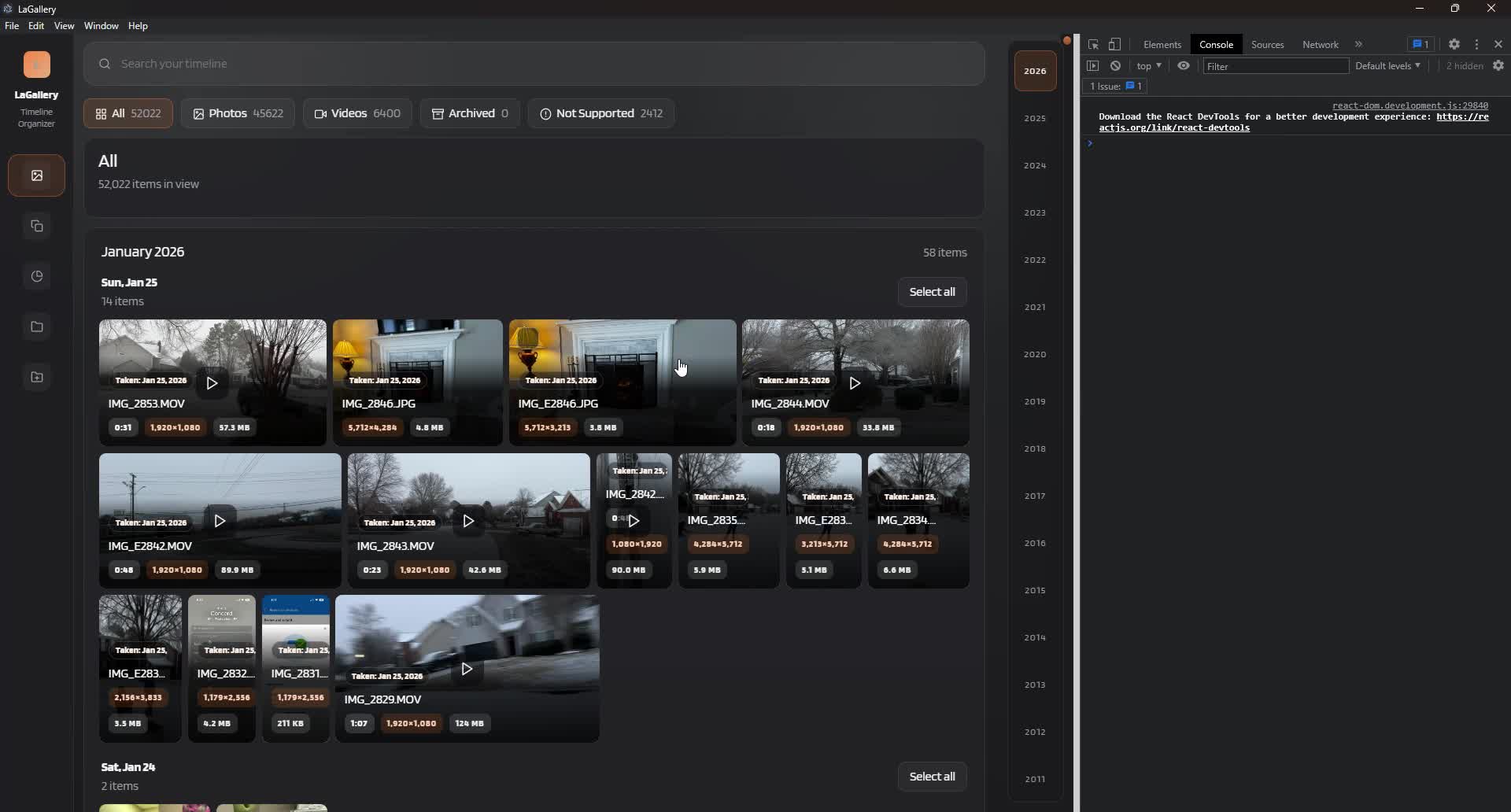
Timeline Browsing
Move through years, months, and days without reorganizing your folders first.

Windows photo and video library manager
Browse years of photos and videos, review duplicates, organize folders, and handle everyday edits in one local-first Windows app.
Features
Galpho keeps the work practical: scan what you choose, understand what is there, then make changes only when you are ready.
Move through years, months, and days without reorganizing your folders first.
Compare likely matches side by side, dismiss groups, and decide what stays.
Preview where media will go, then choose move or copy when the plan looks right.
Crop, straighten, adjust, resize, convert, and make compatible copies from the same workspace.
How it works
Galpho is built around clear decisions instead of mystery syncs or surprise cleanup.
Choose the library you want to inspect. Galpho indexes it locally and leaves the folder structure alone.
Use timeline browsing, filters, duplicate groups, storage views, and file details to make decisions.
Move, copy, resize, convert, or edit only after you choose a specific action.
Product view
Galpho is for the photo library you already have. Browse broadly, inspect closely, and follow longer work through readable progress and activity history.
Community
Keep up with new releases, send a bug report or idea, and find practical help when something feels stuck.
Frequently asked questions
No. Galpho indexes the folders you choose. Moving or copying media happens only through an explicit organization workflow.
No. Your photo and video library stays on your Windows computer. Feedback is voluntary and never attaches diagnostics automatically.
The current release is a 64-bit Windows installer for Windows 10 and Windows 11.
Yes. The Download page lists the version, size, release date, and SHA-256 checksum for the current Windows installer.
Download
Current 64-bit Windows build, published September 19, 2026.